My Self-Hosted AI Stack: Infrastructure Deep Dive (Part 2)
This is Part 2 of a multi-part series on my self-hosted AI stack. Part 1 covers the application architecture and a layer-by-layer walkthrough of every service. If you haven’t read it yet, I’d recommend starting there — it gives the context that makes Part 2 make sense.
Part 2 goes deeper into the infrastructure side of things: how traffic is designed to route, how containers are sized and constrained, what databases and data stores are running under the hood.
Specifically, this post covers:
- Resource limits and sizing — CPU and memory constraints for every container, and the reasoning behind them
- Infrastructure and routing — the dual-network design, Traefik reverse proxy configuration, Cloudflare Tunnels, and how external traffic is isolated from internal service communication
- Data layer — every database and persistent store in the stack: PostgreSQL, SQLite, ChromaDB, Redis, and Minio
- Backups — the sidecar backup strategy for PostgreSQL, n8n, and Open WebUI, with data landing on a NAS over SMB
Table of Contents
Self-Hosted AI Stack: Overview
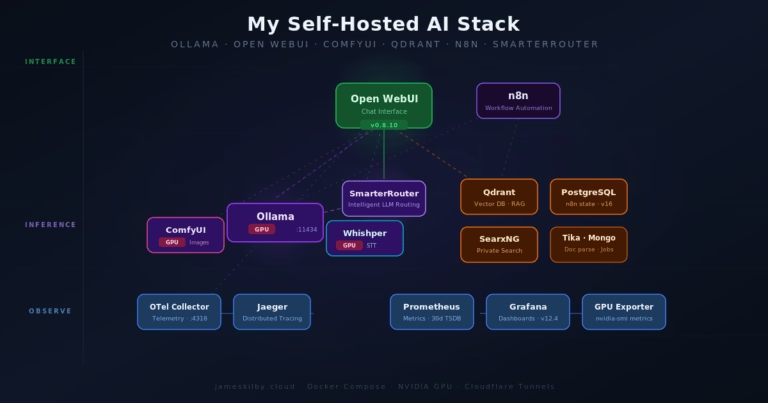
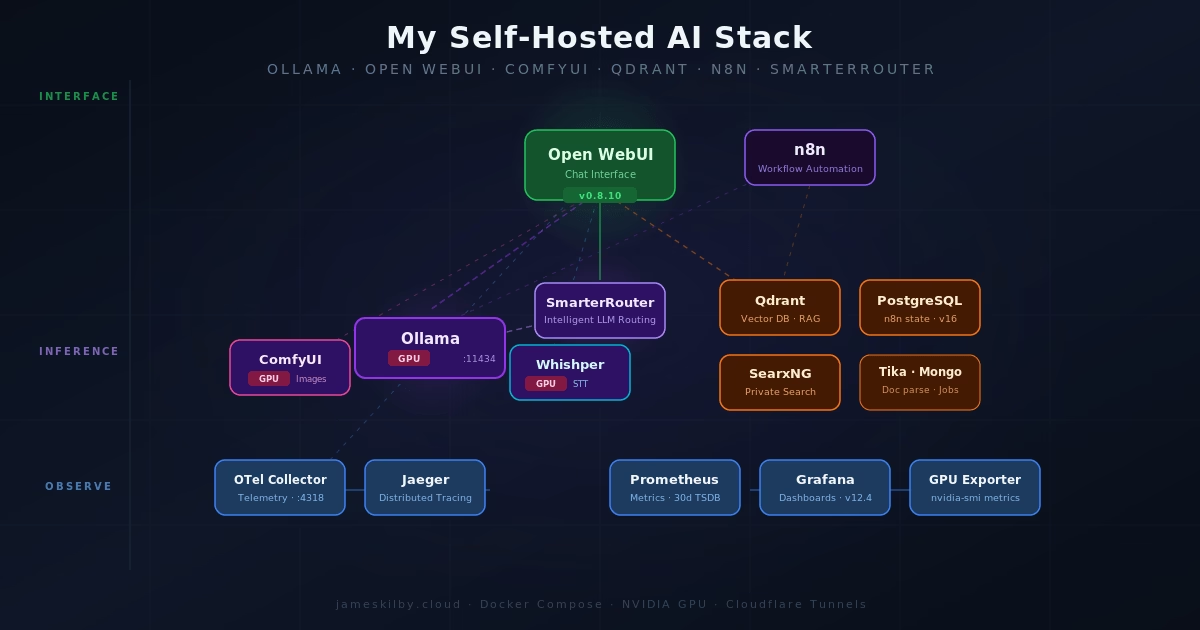
In this part I’ll walk through the network topology, container sizing, and every database in this self-hosted AI stack.
Resource Limits & Sizing
If you read part one, you will have seen that there are a lot of components that make up this AI stack. Every container in the stack has explicit CPU and memory limits and reservations set. This is to prevent a single runaway container or model starving other services of resources. These limits have been defined based on my production deployment running on my host with an NVIDIA A10 (24 GB vRAM), this is presented to a VM allocated with 24 CPU cores, and 96 GB RAM plus 500GB of NVMe storage. Based on that profile, I have allocated container resources as follows
| Container | Role | Mem Limit | CPU Limit |
|---|---|---|---|
| ollama | LLM inference (GPU) | 24G | 12.0 |
| comfyui | Image generation (GPU) | 16G | 6.0 |
| whishper | Speech-to-text (GPU) | 4G | 4.0 |
| mongo | DB for Whishper only | 1G | 1.0 |
| ollama-exporter | Metrics scraper | 128M | 0.25 |
| postgres | Shared relational DB | 4G | 4.0 |
| qdrant | Vector DB for RAG | 6G | 4.0 |
| tika | Document parsing (JVM) | 2G | 2.0 |
| searxng | Metasearch engine | 1G | 1.0 |
| qdrant-backup | Periodic backup sidecar | 256M | 0.5 |
| langfuse-web | LLM observability UI | 2G | 2.0 |
| langfuse-worker | Background trace processing | 2G | 2.0 |
| clickhouse | Analytics DB for Langfuse | 6G | 4.0 |
| redis | Job queue for Langfuse | 512M | 0.5 |
| minio | S3-compatible object store | 1G | 1.0 |
| minio-init | One-shot bucket creation | – | – |
| jaeger | Distributed tracing | 4G | 2.0 |
| otel-collector | Telemetry aggregation | 1G | 1.0 |
| nvidia-gpu-exporter | GPU metrics | 256M | 0.5 |
| prometheus | Metrics TSDB | 2G | 2.0 |
| grafana | Dashboards | 2G | 2.0 |
| smarterrouter | LLM routing | 2G | 2.0 |
| open-webui | Chat UI | 2G | 2.0 |
| open-webui-backup | Periodic SQLite backup | 256M | 0.25 |
| pipelines | Filter/plugin framework | 2G | 2.0 |
| open-terminal | Terminal server | 1G | 1.0 |
| n8n | Workflow automation | 4G | 4.0 |
As can be seen from the docker containers above the resource requirements are not trivial.
I would recommend the following VM configuration as a minimum to use the services with some tweaks to the docker and Ansible configuration to accommodate the reduced footprint. I would also highly recommend the data disk is on NVMe
| Resource | Allocation |
|---|---|
| CPU | 16 |
| Memory (GB) | 18 |
| GPU vRAM (GB) | 8 |
| OS Disk (GB) | 50 |
| Data Disk (GB) | 200 |
Infrastructure & Routing

All of the containers sit behind Traefik as the reverse proxy, with TLS certificates issued via the Cloudflare DNS challenge. Some public-facing services are exposed through Cloudflare Tunnels with Cloudflare Access policies enforcing authentication. Internal services that don’t need to be externally accessible stay isolated on the internal network with no Traefik labels and no external routes.
Network Isolation

The stack uses a dual-network design. An external traefik network connects services that need to be reachable via Traefik ( Blue Zone) (Open WebUI, Grafana, Jaeger, SmarterRouter, etc.), and a separate aistack-internal bridge network handles all inter-service communication. The internal network (Green Zone) is configured and a dedicated subnet (172.30.0.0/24), which means containers on it have no outbound internet access by default — they can only talk to each other.
Services that need both external routing and internal communication (like Open WebUI, which needs Traefik for HTTPS but also needs to reach Ollama, Qdrant, and Tika) sit on both networks. Purely backend services — PostgreSQL, Redis, ClickHouse, Qdrant, the OTel Collector — only get the internal network, with traefik.enable=false on their labels so they’re never accidentally exposed. This limits the blast radius if any single container is compromised.
Domain Portability
The deployment is designed in a way that the url can be adapted as needed. compose file uses the pattern ${DOMAIN:-jameskilby.cloud} rather than a hardcoded hostname. Traefik labels, environment variables, webhook URLs — all of them resolve through a single DOMAIN variable in the .env file. This allows you to fork the repo and deploy the stack under your own domain, you change one variable and every service picks it up — chat.yourdomain.com, grafana.yourdomain.com, langfuse.yourdomain.com, and so on. The :-jameskilby.cloud default means the compose still works if the variable is unset, which keeps docker compose config clean for local testing.
An .env.example file is included in the repo with placeholder values and generation instructions for every required secret. Copy it to .env, fill in your values, and the stack is ready to deploy.
Persistent data that needs to survive host failures (Prometheus TSDB, Jaeger traces) is stored on a SMB share. Data that needs fast local I/O (Ollama models, Open WebUI state, databases) uses local Docker volumes.
Data Layer: Databases in the Stack
The stack uses a number of different data stores, each chosen to match the access pattern of the service it supports. They fall into three persistence tiers: local Docker volumes for latency-sensitive transactional workloads, SMB-mounted NAS volumes for append-heavy observability data, and an S3-compatible object store for blob storage.
PostgreSQL 16 – The Shared Relational Core
A single PostgreSQL 16.13 (Alpine) instance hosts three databases: langfuse for LLM observability, n8n for workflow definitions and execution history, and grafana for dashboard and user config. The Ansible playbook creates all three databases automatically at deploy time under the aistack user. Data lives on a local Docker volume (postgres_data) for write performance, and Postgres handles its own WAL-based crash recovery.
ClickHouse 24.12 – Columnar Analytics for Langfuse
Langfuse generates high volumes of trace and event data that need fast analytical queries—aggregations, filtering by time range, counting tokens across thousands of requests. ClickHouse’s columnar storage engine is purpose-built for this. It runs alongside Langfuse’s other dependencies on a local Docker volume (clickhouse_data),
Redis 7 – Job Queue & Cache
Redis serves as Langfuse’s job queue and caching layer. It’s configured with RDB snapshotting (--save 60 1) so queued jobs survive a container restart. Runs on a local Docker volume (redis_data) on the internal network only.
MinIO – S3-Compatible Object Storage
MinIO provides S3-compatible blob storage for Langfuse’s event uploads. A one-shot minio-init container creates the langfuse bucket on first startup using mc mb. Data lives on a local Docker volume (minio_data). This avoids any dependency on external cloud storage while giving Langfuse the S3 API it expects.
Qdrant v1.17 – Vector Database for RAG
Qdrant powers Open WebUI’s retrieval-augmented generation pipeline, storing document embeddings and handling similarity search. It exposes HTTP on port 6333 and gRPC on 6334, both on the internal network only. Apache Tika handles document parsing upstream, and the resulting vectors land in Qdrant’s local storage volume (qdrant_storage).
MongoDB 7 – Whishper Transcription Store
Whishper (the speech-to-text service) uses MongoDB to store transcription metadata and results. It runs on a local Docker volume (mongo_data) with a straightforward connection string: mongodb://root:example@mongo:27017/whishper?authSource=admin. The credentials are currently hardcoded in the compose file—a candidate for moving into .env in a future cleanup pass.
SQLite – Embedded in Open WebUI & SmarterRouter
Two services use SQLite as an embedded database. Open WebUI stores everything—users, conversations, RAG collections, model configs—in webui.db on a local Docker volume. SmarterRouter keeps its routing config and model performance cache in router.db on a separate volume. Both need POSIX file-locking, which rules out running them directly on SMB. The backup sidecar (covered in the Open WebUI Backup Strategy section below) handles off-host durability for webui.db.
Prometheus v3.10 & Jaeger/Badger – Observability Stores on NAS
Unlike the transactional databases above, the two observability stores mount directly to the NAS via CIFS. Prometheus writes its time-series data (TSDB) to an SMB-backed volume with a 30-day retention policy (--storage.tsdb.retention.time=30d). Jaeger uses Badger as its embedded key-value store for trace data, also writing to a CIFS volume. The rationale: metrics and traces are append-heavy, sequential workloads that tolerate network storage latency, while the NAS provides built-in RAID protection and snapshot capabilities without needing a separate backup strategy.
Persistence Summary
| Database | Version | Used By | Storage |
|---|---|---|---|
| PostgreSQL | 16.13 | Langfuse, n8n, Grafana | Local volume |
| ClickHouse | 24.12 | Langfuse (analytics) | Local volume |
| Redis | 7 Alpine | Langfuse (queue/cache) | Local volume (RDB snapshots) |
| MinIO | latest | Langfuse (event uploads) | Local volume |
| Qdrant | 1.17.0 | Open WebUI (RAG vectors) | Local volume |
| MongoDB | 7 | Whishper (transcriptions) | Local volume |
| SQLite | embedded | Open WebUI, SmarterRouter | Local volume + NAS backup |
| Prometheus | 3.10.0 | Metrics (Grafana) | CIFS/NAS |
| Jaeger/Badger | 2.15.0 | Traces (Grafana) | CIFS/NAS |
This split—local volumes for transactional databases, NAS for observability—keeps write-sensitive workloads fast while ensuring metrics and traces survive host failures without a separate backup pipeline. The only exception is Open WebUI’s SQLite database, which gets its own backup sidecar because it’s both write-sensitive and too important to leave without off-host copies.
Backups
The self-hosted AI stack contains data in multiple locations. Some of this can be recreated or redownloaded easily and some of it needs protecting
OpenWebUI Backups
OpenWebUI is the front end to most of the AI stack and it can end up storing a lot of data from various sources. This data is mostly stored in a SQLite database. Due to the way sqlite works it is not possible to run it on remote storage. It therefore runs on local NVMe storage attached to the VM. To enable backups of this data, I have a second container that runs alongside OpenWebUI sharing access to the same volumes. It periodically (every 6 hours) performs a crash-consistent database backup and writes it out to the persistent smb share. It also performs retention of the database only keeping the last 7 copies. This gives me the ability to restore
- All User config
- Every conversation and the associated message history
- Model configurations
- Knowledge base metadata and document collections
It also creates a tarball of the uploads directory for any documents added for RAG purposes, retaining the last 3 copies on the NAS.
Qdrant Backups
With the OpenWebUI backup restored RAG searches will silently fail as the storage of the actual embeddings generated from the documents will not be available. To fix this I need to ensure I have a backup and restore process for the Qdrant data as well. I handle this in a similar way to the OpenWebUI backups
I perform a periodic snapshot via a sidecar container. It iterates all collections, snapshots each one, bundles them as a tarball, and writes them out to the same SMB-backed storage, retaining the last 7 copies.
PostgreSQL Backups
I have also deployed a backup sidecar container to handle PostgreSQL following the same principles. It runs pg_dumpall every 6 hours using the same postgres:16.13-alpine image as the server — keeping the pg_dump version in lockstep prevents any version mismatch on restore. Each run produces a gzip-compressed SQL dump (postgres-YYYYMMDD-HHMMSS.sql.gz) covering all three databases — langfuse, n8n, and grafana — written to the SMB-backed NAS volume. The last 7 dumps are retained. The sidecar only starts once PostgreSQL passes its healthcheck, so it never attempts a dump against an uninitialised server.
N8N Backups
The N8N container also contains a lot of data. A dedicated backup sidecar uses the n8n REST API (authenticated via N8N_BACKUP_API_KEY) to export data every 6 hours, committing changes to a local git repository for point-in-time history. To push changes to a remote GitHub repository, also define N8N_BACKUP_GIT_REPO and N8N_BACKUP_GIT_TOKEN in the .env file GitHub repo URL (e.g. https://github.com/jameskilbynet/n8n-backups.git)
- Workflows – Full workflow definitions including nodes, connections, and settings, exported as individual files for easy diffing and selective restore.
- Credentials – Metadata only (name, type, ID). The n8n API does not expose secret values — credential secrets remain encrypted in PostgreSQL and are never written to the backup.
- Tags – All workflow tags, exported as a single JSON file.
If the Git credentials are not set, it will back up to the SMB repo like the other containers.
Continue Reading
- ← Part 1: Architecture Overview – The big picture, layer-by-layer walkthrough from inference to observability.
- Part 3: Operations & Maintenance → – Ansible deployment, monitoring with Uptime Kuma, and the Open WebUI backup strategy — coming soon